Version 0.2.9 ·
macOS 14 or later · 14-day free trial
· Install
Your Magic Mouse can do far more
Out of the box
The whole top is touch-sensitive, yet macOS only uses it to scroll and swipe.
Every left or right click means pressing down on the front of the shell — more force than most mice need.
Each press makes an audible click, which gets in the way when you want to work quietly.
Easy gestures like a two-finger tap do nothing at all.
With MyMouse
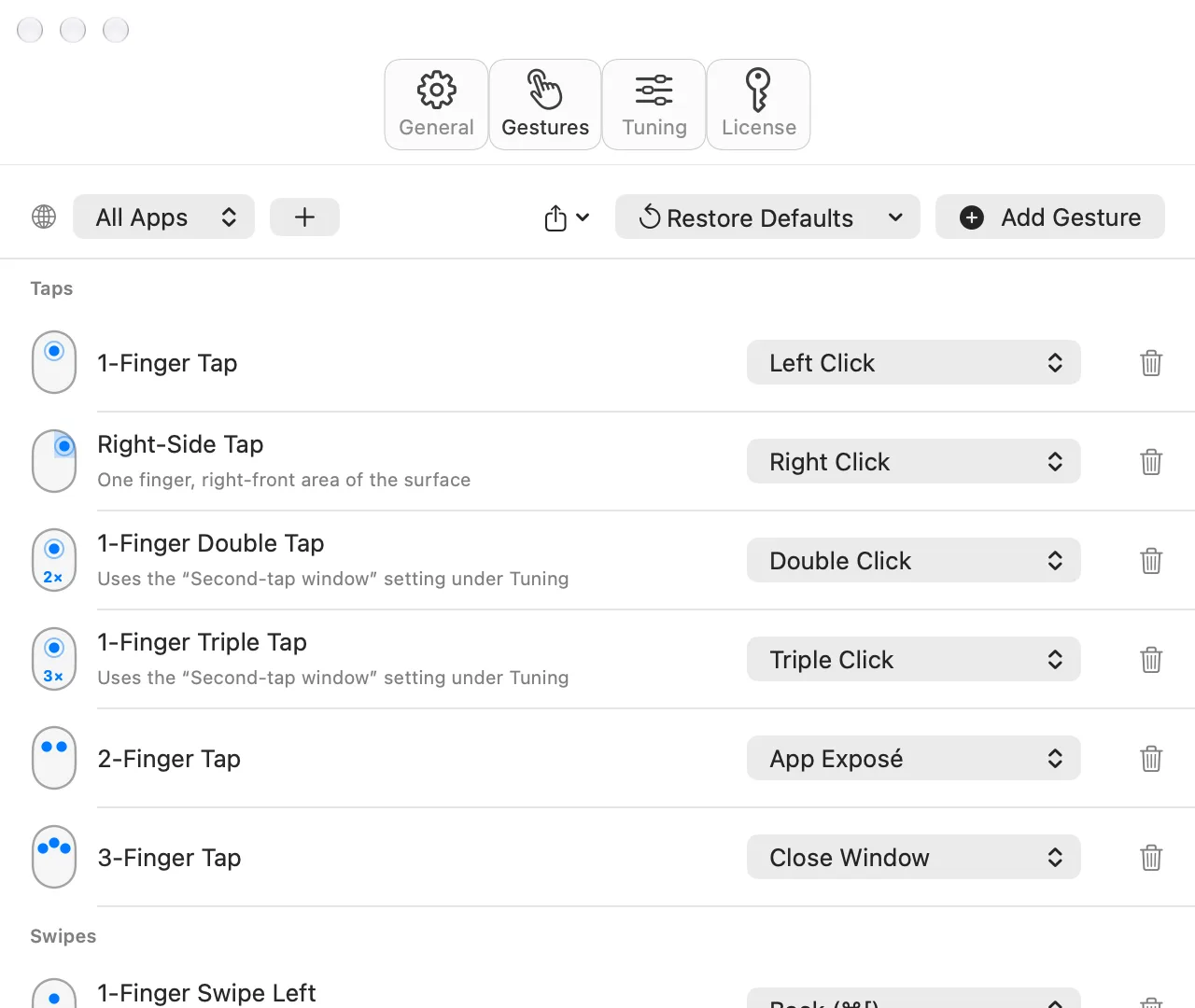
Tap to click, like a laptop trackpad: a light touch of a fingertip, no pressing and no click sound.
Touch the front-right area of the mouse to right-click.
Tap with two fingers to show App Exposé — or set it to Mission Control, or anything you like.
Rest your fingers the way you normally hold the mouse. MyMouse ignores them, so you never change your grip.
MyMouse fixes all of this, and makes the touch surface you already paid for genuinely useful.
Every gesture, in motion
What each gesture does out of the box. All of them can be changed.
Tap to click
Left click
Front-right tap
Right click
Double and triple tap
Double and triple click
Two-finger tap
App Exposé
Three-finger tap
Close window
One-finger swipe
Back and forward
Two-finger swipe
Switch Spaces, App Exposé, minimize
Three-finger swipe
Mission Control, show desktop, switch apps
Pinch and spread
Zoom in and out
Drag without pressing
Tap, then tap and hold, and move
Scroll while dragging
Scroll with another finger while dragging
Add modifier keys
Hold ⌘ ⌥ ⌃ ⇧ for even more actions
Set it up your way
Choose what every gesture does, and give each app its own set. Pick from 21 built-in actions, record any keyboard shortcut, or run a shell command — so MyMouse fits exactly how you work.
 MyMouse